

Introducing Macroscope CLI
Get fast, high-signal correctness reviews directly from your terminal—before you ever push your code.
Until now, getting a Macroscope code review required opening a Pull Request. Today, that changes with the Macroscope CLI. Get fast, high-signal correctness reviews directly from your terminal—before you ever push your code.
Using the CLI
curl -sSL https://raw.githubusercontent.com/prassoai/macroscope-local/main/install.sh | bashThis installs the CLI, the optional agent plugins, and asks you to login to link a Macroscope workspace.
There are two ways to use the Macroscope CLI:
1. From your agent
If you installed the optional plugins for Claude Code, Codex, Cursor, and OpenCode:
Claude Code: /macroscope:codereview
Codex:       $macroscope:codereview
Cursor:      /codereview
OpenCode:    /macroscope-codereview
When invoked, your agent will use the Macroscope CLI to do a code review, validate any detected issues, and begin addressing them.
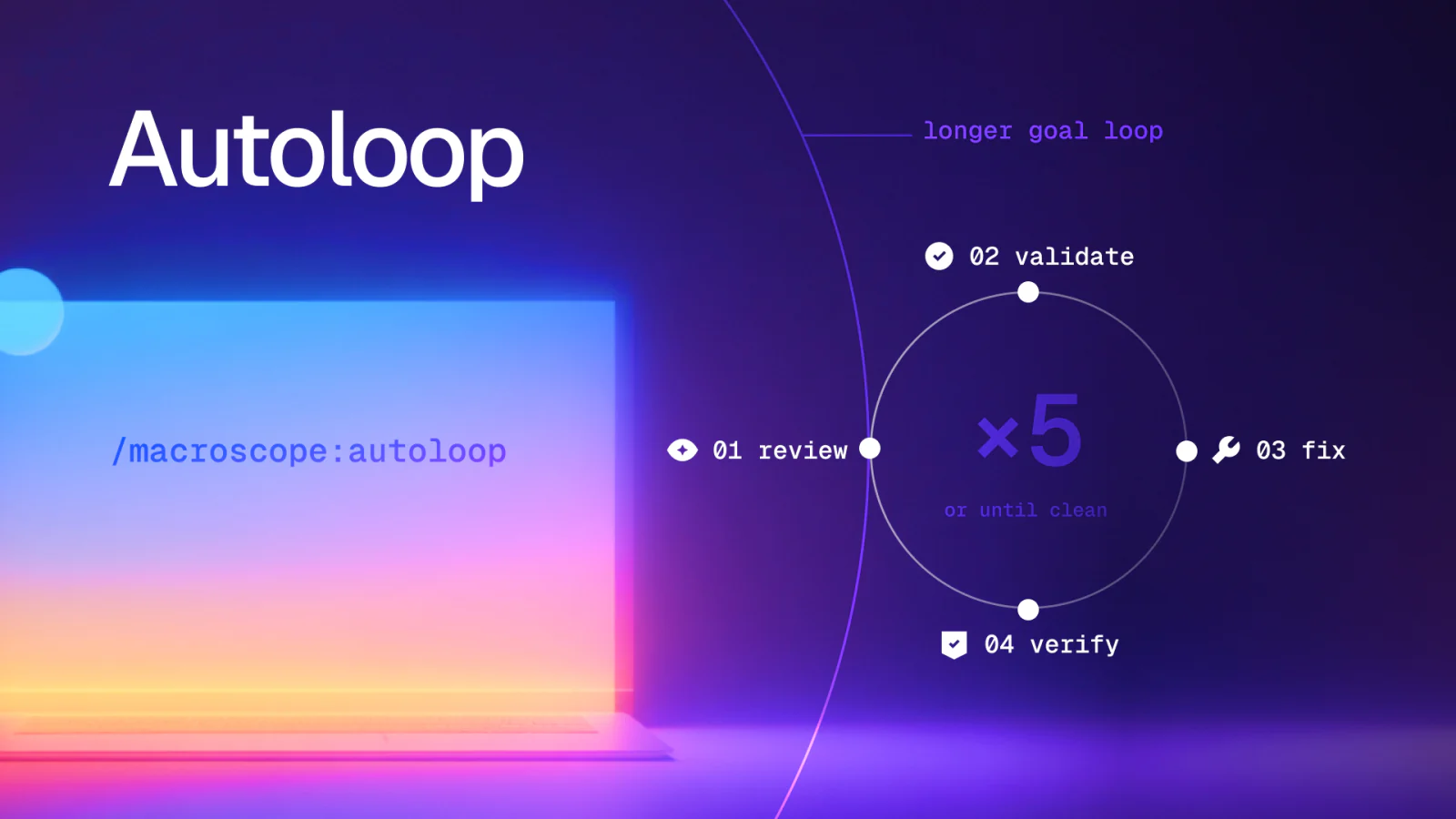
Autoloop
Autoloop repeats the code review -> validation -> fix cycle until no further issues are detected, for up to five cycles.
Claude Code: /macroscope:autoloop
Codex:       $macroscope:autoloop
Cursor:      /autoloop
OpenCode:    /macroscope-autoloop
2. From the CLI
Run macroscope codereview from any repo to open a full-screen review in your terminal. Issues stream in as they’re found: arrow through them, expand an issue for the full comment and code snippet, and press c to copy one or ⇧C to copy everything at once.
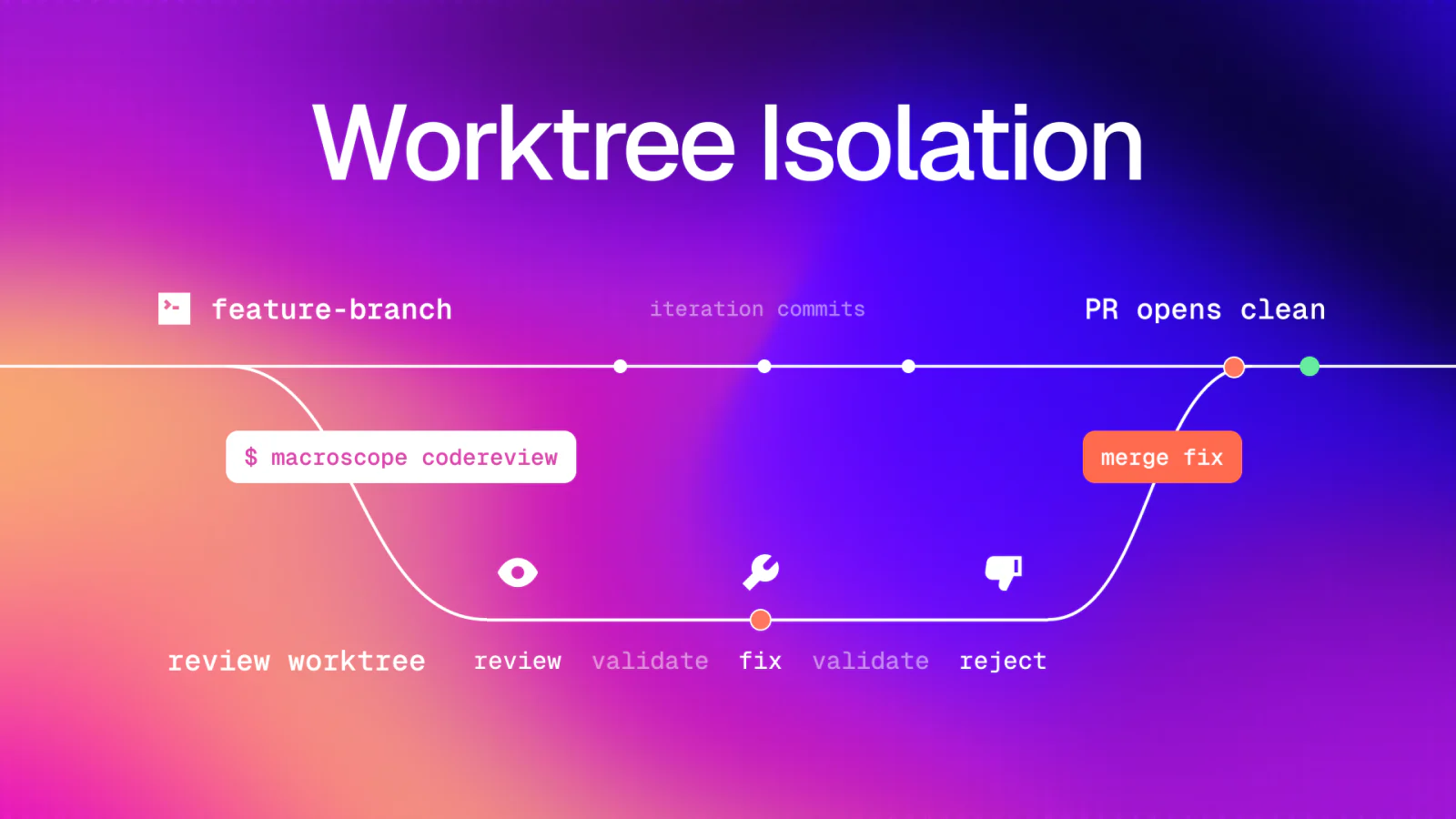
Worktree Isolation
Every review runs in an isolated git worktree by default, so you can keep building on your active branch while Macroscope analyzes a fixed snapshot; run macroscope codereview --in-place to do a review without creating a worktree.
Pricing
CLI code reviews are billed using Agent Credits.
Learn more by checking out the CLI docs for configuration options.